The machine
Running a job
Frame the job by rectangle or outline, do a dry run above the stock, read the pre-send check and the checklist, then agree to start: the spindle will turn.
Job section of the Machine panel (machine connected, idle):
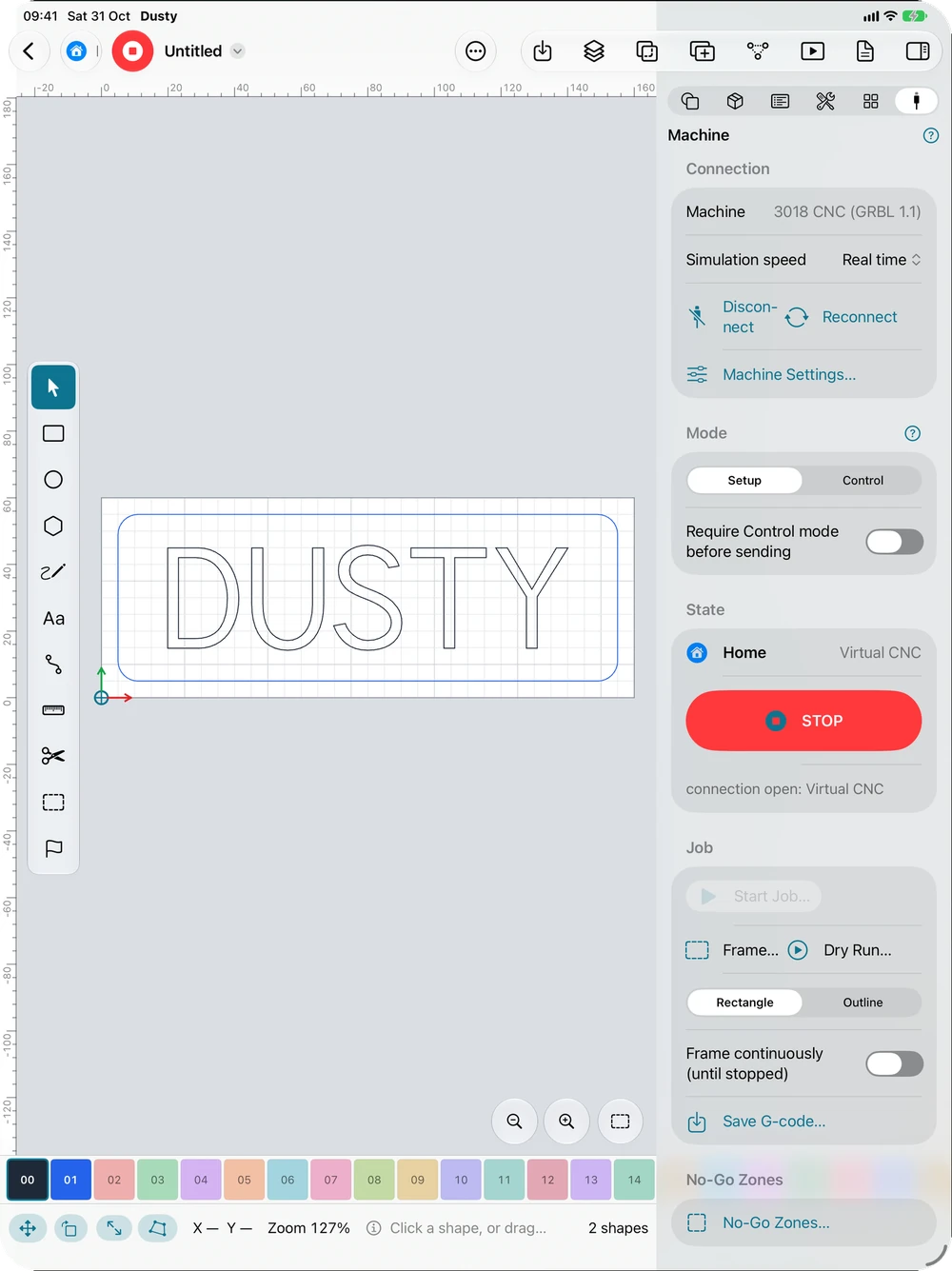
- Frame…: the tool runs around the bounding rectangle of the cuts, or their outline (which follows a round or slanted part more closely), at the safe height, spindle off. Check that it stays on the stock and away from the clamps. Frame continuously (Studio: Continuously) repeats the loop until Stop Framing, which stops the machine at once (it keeps its position); without a stop, it ends by itself after 10 minutes. These choices are kept. The Machine menu also has Frame the Rectangle (⌥⌘R) and Frame the Outline (⌥⇧⌘R; Ctrl+Alt+R and Ctrl+Alt+Shift+R in Studio on Windows and Linux): the Machine panel opens and the same framing is checked then confirmed, the chosen shape becoming the panel’s.
- Dry Run…: the whole job is played raised above the stock, with spindle, coolant, vacuum and tool change pauses removed. Check the path, the retracts and that no alarm occurs.
- Start Job…: the pre-send check appears: file, number of lines, estimated time (and the time corrected by the log, “historically +18%”), findings about the program and the machine, G-code warnings, and a safety reminder. A blocking finding prevents the start.
- Checklist: if the machine has one (see Machine settings), each item must be checked before you can start.
- Start Machining… asks for your agreement: “The Spindle Will Turn”. Nothing starts without it.
Framing and the dry run also ask for a confirmation (the machine will move).
During the job: file, state, lines done out of the total, elapsed time and estimated time remaining. For a first run, lower the feed rate to 50% from the start (see Spindle, accessories and overrides).
Save G-code… in the Job section saves the exact program of the job.
This manual is also built into Dusty: press F1, or open the Help menu, to read the topic for what you are doing. A mistake, a missing answer? Tell us
Try it in Dusty, for free.
Free CNC milling software: design, toolpaths and machine control. Mac, iPad, iPhone, Windows and Linux.