Machines
Every GRBL CNC, from the 3018 to the big router.
Desktop 3018, Shapeoko, LongMill, X-Carve or a machine you built yourself: what matters is the controller. Dusty drives the GRBL family over USB or the network, and saves the G-code for 14 controller flavors.
From the desk to the workshop
Ready-made profiles for 67 machines of 9 brands, with travel, machine zero and spindle — and a GRBL profile to set up for all the others.
Desktop CNCs
3018-type machines, Genmitsu, FoxAlien: the preset 3018 CNC and the eight example projects are made for them.
Hobby routers
Shapeoko, Nomad, LongMill, X-Carve, MillRight, OpenBuilds: profiles with their travel and their spindle or router.
Large formats
Big beds such as the Shapeoko 5 Pro or the WorkBee: the canvas takes the size of the stock, the pre-flight check the travel of the machine.
Virtual CNC
No machine yet? The built-in virtual CNC connects like a real one and plays back homing, zero, machining and alarms.
Controllers and connections
Dusty talks to the controller directly when it can; otherwise it writes the G-code in its flavor.
| Controller | Connection | Support |
|---|---|---|
| GRBL 1.1 3018-type boards, Arduino, most hobby routers | USB · network (Telnet) | Direct control |
| grblHAL SuperLongBoard, OpenBuilds BlackBox X32… | USB · network (Telnet) | Direct control |
| FluidNC ESP32 boards | USB · Wi-Fi (Telnet) | Direct control |
| Duet / RepRapFirmware WorkBee and others | Network | New bridge |
| Smoothieware, Marlin Snapmaker 2.0 and others | USB · network | New bridge |
| Mach3 / Mach4, LinuxCNC, UCCNC, MASSO, Centroid | G-code file | G-code in their flavor |
The new bridges were written from the controllers’ public documentation and tried against virtual boards only: make your first tries in the air, spindle off, hand near the STOP.
Is your machine in the catalog?
Search by brand or model, with the work area of each one, drawn to scale.
Connection
Dusty finds your machine.
Find My Machine
Dusty tries the USB ports and looks for Dusty Link on the network; it only reads, nothing moves, then offers the models that match the controller.
Connection assistant
It tries the ports and baud rates without moving anything, and tells you what is missing: a USB driver (CH340, CP210x) on Windows, the dialout group on Linux, a data cable.
Laser mode spotted
GRBL laser mode ($32=1) is blocking for a router: Dusty spots it when connecting and writes $32=0 after your agreement; it also offers to align the profile with the controller.
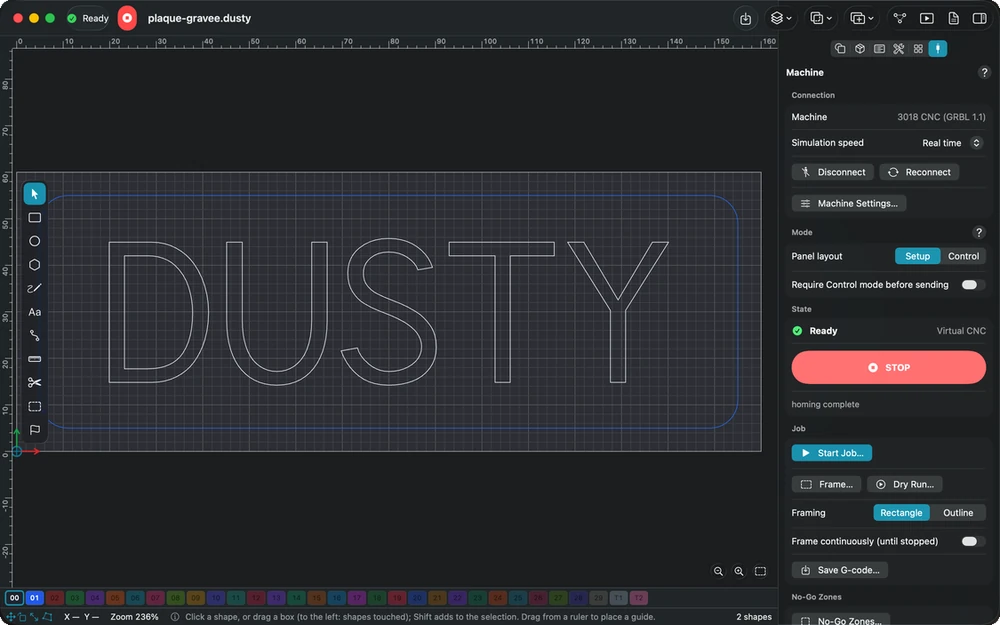
Three ways to drive the machine
01
Direct
Over USB from a Mac, a Windows or a Linux PC, or over the network (Telnet) from every device, iPad and iPhone included.
02
Through Dusty Link
A Raspberry Pi or a PC next to the CNC shares it: every device drives it, and a phone becomes a pendant.
03
With a file
For any other controller, save the G-code in its flavor, with your own start, end and tool change blocks.
Plug it in, Dusty does the rest.
Free, with no account — and the virtual CNC to try everything first.