Mac App Store · DMG
Dusty for Mac
The most complete version: USB and network, MCP assistant, every panel side by side, on the Mac App Store or as a DMG from this website. macOS 14 or later, Apple silicon and Intel.
Pick your platform. No account to create, no credit card: Dusty installs and works, full stop.
Available now on Mac, iPad, iPhone, Windows and Linux
The most complete version: USB and network, MCP assistant, every panel side by side, on the Mac App Store or as a DMG from this website. macOS 14 or later, Apple silicon and Intel.
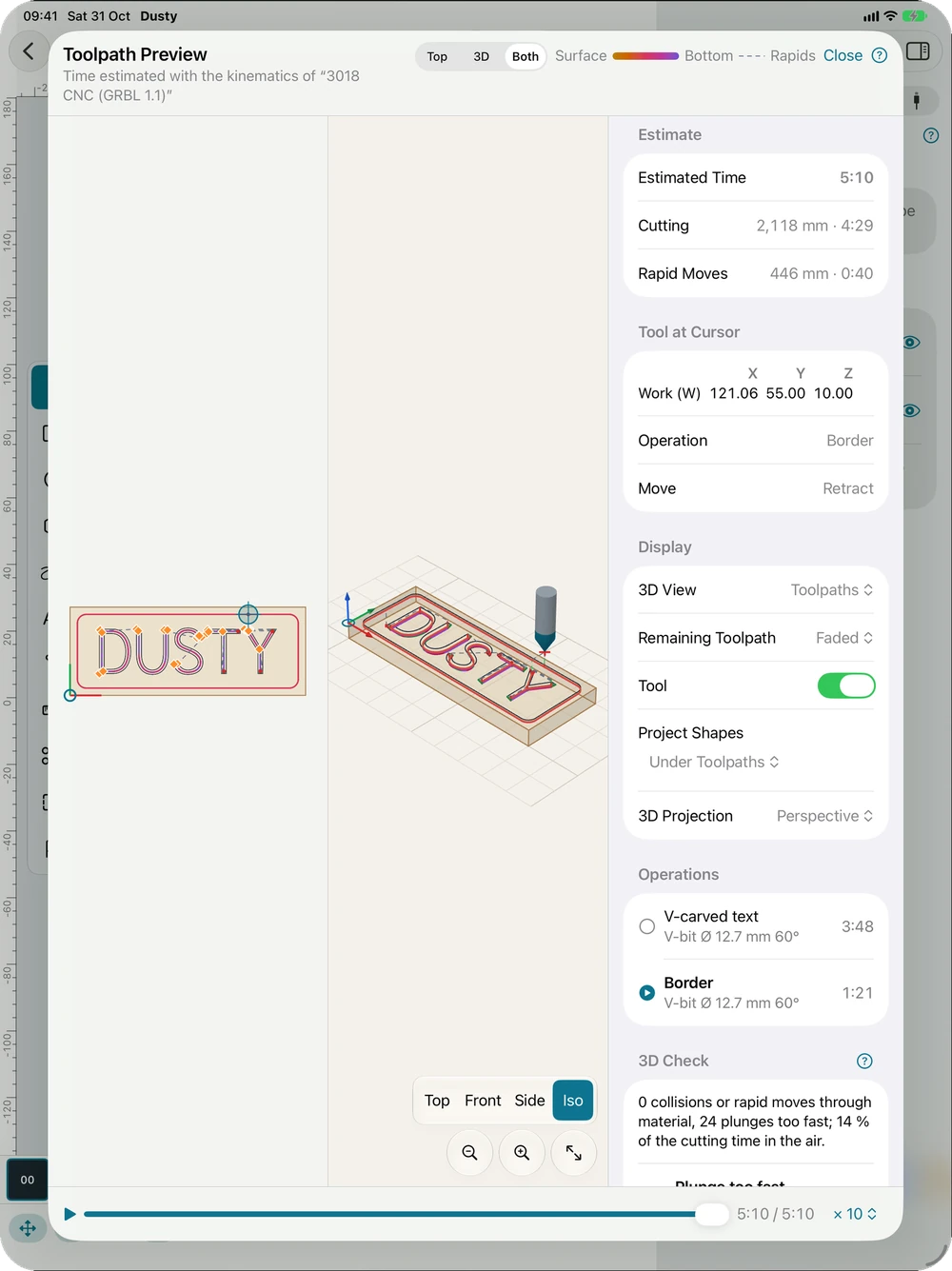
The whole workshop by touch, with the Apple Pencil, a keyboard or a trackpad: design, operations, 3D preview, G-code and machine control over the network. iPadOS 17 or later.
The same app in your pocket: open a project, check the preview and the time, drive the machine over the network or through Dusty Link. iOS 17 or later.
Dusty in a real window: USB serial ports, network, connection assistant, Hub mode to share the machine. Windows 10 and 11 (64-bit), kept up to date by the Microsoft Store.
The same features as on Windows. Our APT and Flatpak repositories keep Dusty up to date; .deb and AppImage files are available too.
Dusty in the browser, with nothing to install: on the way. Meanwhile, Dusty Link already serves Dusty Studio to every browser of your local network.
A headless service for a Raspberry Pi, a Linux PC or Windows. Placed next to the CNC, it shares it with all your devices and serves Dusty Studio to the browsers of the workshop.
Rather not go through the Mac App Store? The same Dusty is available here as a disk image (DMG), signed with Apple’s Developer ID and notarized by Apple. macOS 14 or later, Apple silicon and Intel.
Download the DMG. File, size and SHA-256 checksum:
Dusty-1.2.0-27.dmg (49 MB)
SHA-256 ea440f17c6fd1eb2e1a7818a1ac355b42b9e598475782fa814d37c0ca1d982df
To check the download, run shasum -a 256 followed by the file in Terminal: it must print the same checksum.
Debian, Ubuntu, Linux Mint or any other 64-bit distribution with WebKitGTK 4.1 (Ubuntu 22.04, Debian 12, Fedora 38 or later). Installed from a repository, Dusty stays up to date with the rest of your system.
Add the Dusty repository and its key, then install: updates then come with your regular apt upgrades.
curl -fsSL https://beber666.github.io/dusty-releases/dusty.gpg | sudo tee /usr/share/keyrings/dusty.gpg > /dev/null
echo "deb [signed-by=/usr/share/keyrings/dusty.gpg] https://beber666.github.io/dusty-releases stable main" | sudo tee /etc/apt/sources.list.d/dusty.list
sudo apt update && sudo apt install dustyA single command; updates come with flatpak update or your software center.
flatpak install --user https://beber666.github.io/dusty-releases/flatpak/dusty.flatpakrefPrefer a file? The latest release has the .deb packages and the AppImage. For a CNC connected over USB, your account must be in the dialout group: run sudo usermod -aG dialout $USER, then log out and back in.
Dusty Link shares a CNC connected over USB (or on the network) with the devices of your local network: iPad, iPhone, Mac, the desktop app, and Dusty Studio in any browser, served by Dusty Link itself at http://<board-name>.local:46590/.
How it works, compatible boards, joining from your devices: it is all on the Dusty Link page.
Plug the CNC in over USB, then run this line in a terminal (any Raspberry Pi, another ARM board or a Linux PC with systemd, connected to the Internet). The script picks the right package, checks its SHA-256 sum and installs Dusty Link as a service that starts with the computer. To update it, run the same line again.
curl -fsSL https://dusty.websolutis.com/link/install.sh | sudo shOptions go after sh -s --: --port /dev/ttyUSB0 (the CNC’s port, otherwise every USB port where a GRBL controller answers), --reseau 192.168.1.50 (CNC over Wi-Fi or Ethernet), --nom Atelier (the name shown to your devices), --virtuelle (the virtual CNC, to try it without a machine).
curl -fsSL https://dusty.websolutis.com/link/install.sh | sudo sh -s -- --port /dev/ttyUSB0 --nom AtelierDownload the .zip file below and unzip the dusty-link folder, then, in a command prompt: cd dusty-link and dusty-hub.exe --studio studio. Leave the window open: the pairing code is shown there. The USB driver of the CNC (CH340, CP2102) must be installed; allow Dusty Link on the private network if Windows asks.
The pairing code (8 characters) is shown at the end of the installation and stays the same from one start to the next, power cuts included. To see it again: sudo dusty-hub --code. Enter it once on the iPad, the Mac or in the browser to connect.
SHA-256 checksums. With no Internet on the board: copy its package there, unpack it (tar -xzf), then run sudo ./installer.sh in the dusty-link folder.
Safety. Local network only: Dusty Link is never reachable from the Internet. Every job start is confirmed on the device that sends it, and pause and STOP always stay available.
A single engine, written in Rust: the drawing, the toolpaths, the simulation, the pre-flight check and the G-code are the same everywhere. Only the links to the machine change.
| Mac | iPad | iPhone | Windows · Linux | |
|---|---|---|---|---|
| Design, toolpaths, 3D preview, G-code | ✓ | ✓ | ✓ | ✓ |
| CNC over USB | ✓ | — | — | ✓ |
| CNC over Wi-Fi or Ethernet | ✓ | ✓ | ✓ | ✓ |
| Shared CNC (Dusty Link) | ✓ | ✓ | ✓ | ✓ + Hub mode |
| Virtual CNC | ✓ | ✓ | ✓ | ✓ |
| MCP assistant | ✓ | — | — | ✓ |
First launch
If Dusty saves you time — or stock — a tip helps keep it alive.