The machine
The Machine panel
What the Machine panel shows once connected, from top to bottom: state and STOP, incidents, job, SD card, positions, go to, jog, sensor, spindle, macros, console.
Once the machine is connected, the Machine panel shows, from top to bottom:
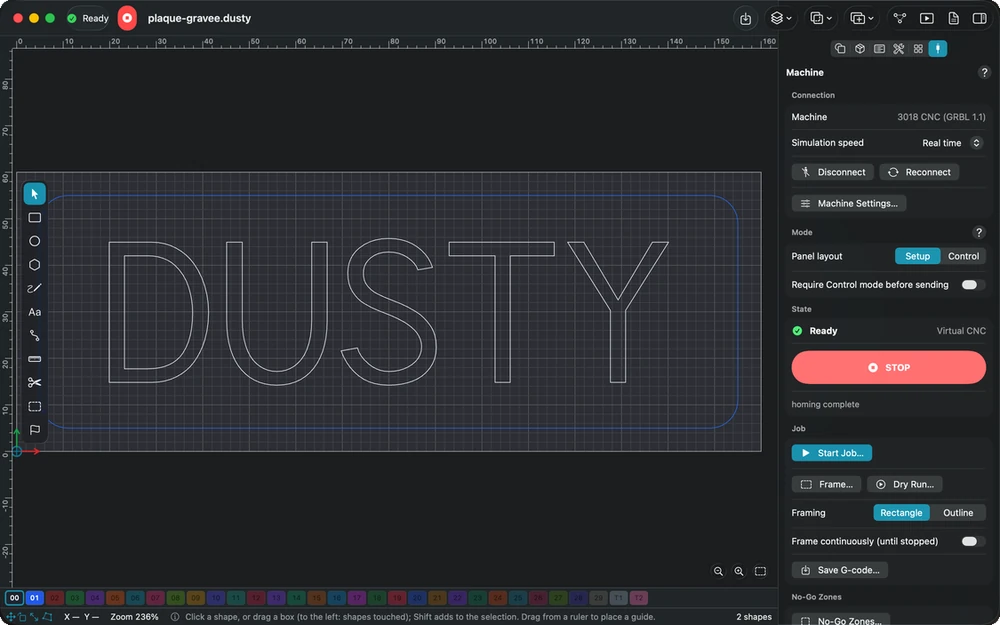
- State: controller state (idle, running, paused, alarm…), connection, the large STOP button, the banner for a locked machine or homing to do, the last event;
- Incidents: the current incident cards;
- Settings to Check (see Connection);
- Job: see Running a job, and the open G-code program (see Opening and replaying G-code);
- Controller SD Card (if the controller has one);
- Position: work and machine positions, zeros, probing, go to XY zero;
- Go to: see Go to;
- Saved Positions, Jog (also with the keyboard), Tool Length Sensor (if the machine has one), Surface Leveling (see Surface leveling), Position Check (see Position check), Spindle, Macros, Overrides, Console.
The machine state and STOP also stay in the toolbar of every project window.
This manual is also built into Dusty: press F1, or open the Help menu, to read the topic for what you are doing. A mistake, a missing answer? Tell us
Try it in Dusty, for free.
Free CNC milling software: design, toolpaths and machine control. Mac, iPad, iPhone, Windows and Linux.