Tutorials
Example projects
Where to find the eight example projects, how they open as an untitled copy, and what each one shows: material, tools and estimated time on a 3018.
File › Open Example… (Mac, iPad with a keyboard), More › Example Projects… (iPad), File › Open Example (Dusty Studio, desktop app), Help › Example Projects…, or the Example Projects… button of the new project window and of the project assistant. The ? of an example opens its tutorial.
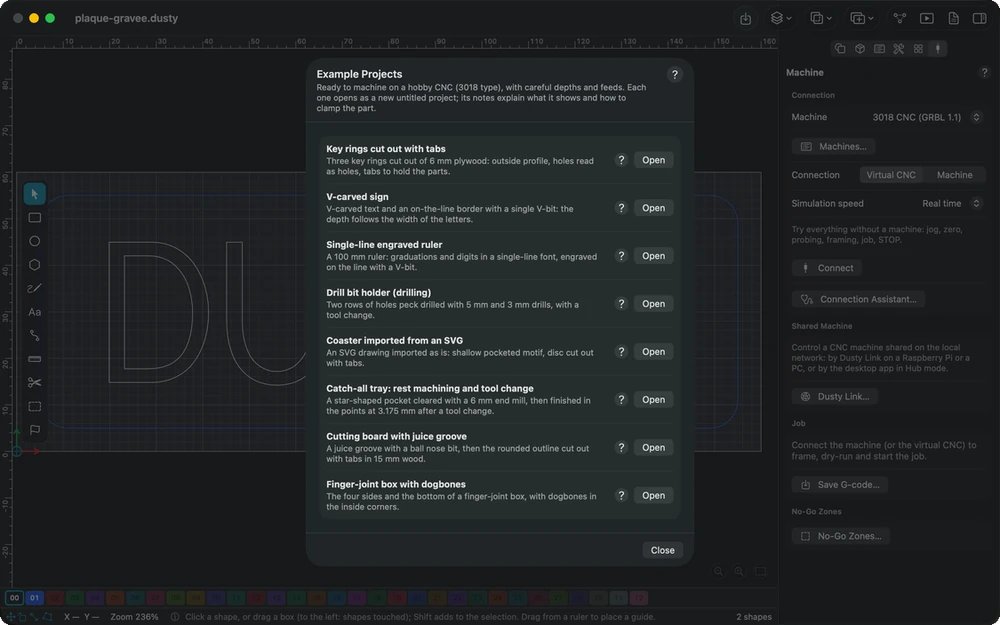
The example opens as a new untitled project: in place of the open project if it is blank, otherwise in a new window on Mac (Dusty Studio first asks whether to discard the changes of the open project; on iPad, where an app does not create documents by itself, first create a new project, still empty). Save asks where to write it: the example shipped with Dusty is never modified. Its notes are shown: what the example shows, the material, the tools and the workholding. In the manual opened from the app (Mac, Dusty Studio, desktop app), the Open the example links of the tutorials do the same.
| Example | What it shows | Material | Tools | Time |
|---|---|---|---|---|
| Key rings | outside profile, holes, tabs | 6 mm plywood | 3.175 mm end mill | 6 min |
| Engraved sign | V-carved text, profile on the line | 12 mm hardwood or MDF | 60° V-bit | 5 min |
| Ruler | single-line font, open lines | 6 mm wood | 20° V-bit | 3 min |
| Drill bit holder | peck drilling, tool change | 20 mm hardwood | 5 and 3 mm drills | 3 min |
| Coaster | SVG import, pocket, tabs | 6 mm plywood | 3.175 mm end mill | 7 min |
| Catch-all tray | pocket, rest pocket, tool change | 18 mm MDF | 6 and 3.175 mm end mills | 14 min |
| Cutting board | ball nose groove, thick cut-out with tabs | 15 mm hardwood | 6 mm ball nose, 6 mm end mill | 20 min |
| Finger-joint box | notches, dogbones, cut-out with tabs | 6 mm plywood | 3.175 mm end mill | 17 min |
The times are those Dusty estimates for a 3018; the machining log then corrects them from your real jobs.
This manual is also built into Dusty: press F1, or open the Help menu, to read the topic for what you are doing. A mistake, a missing answer? Tell us
Try it in Dusty, for free.
Free CNC milling software: design, toolpaths and machine control. Mac, iPad, iPhone, Windows and Linux.